Starter
$9/month
500 notifications sent · $0.02 per additional notificationFIELD GUIDE · EXACT VARIANT 01
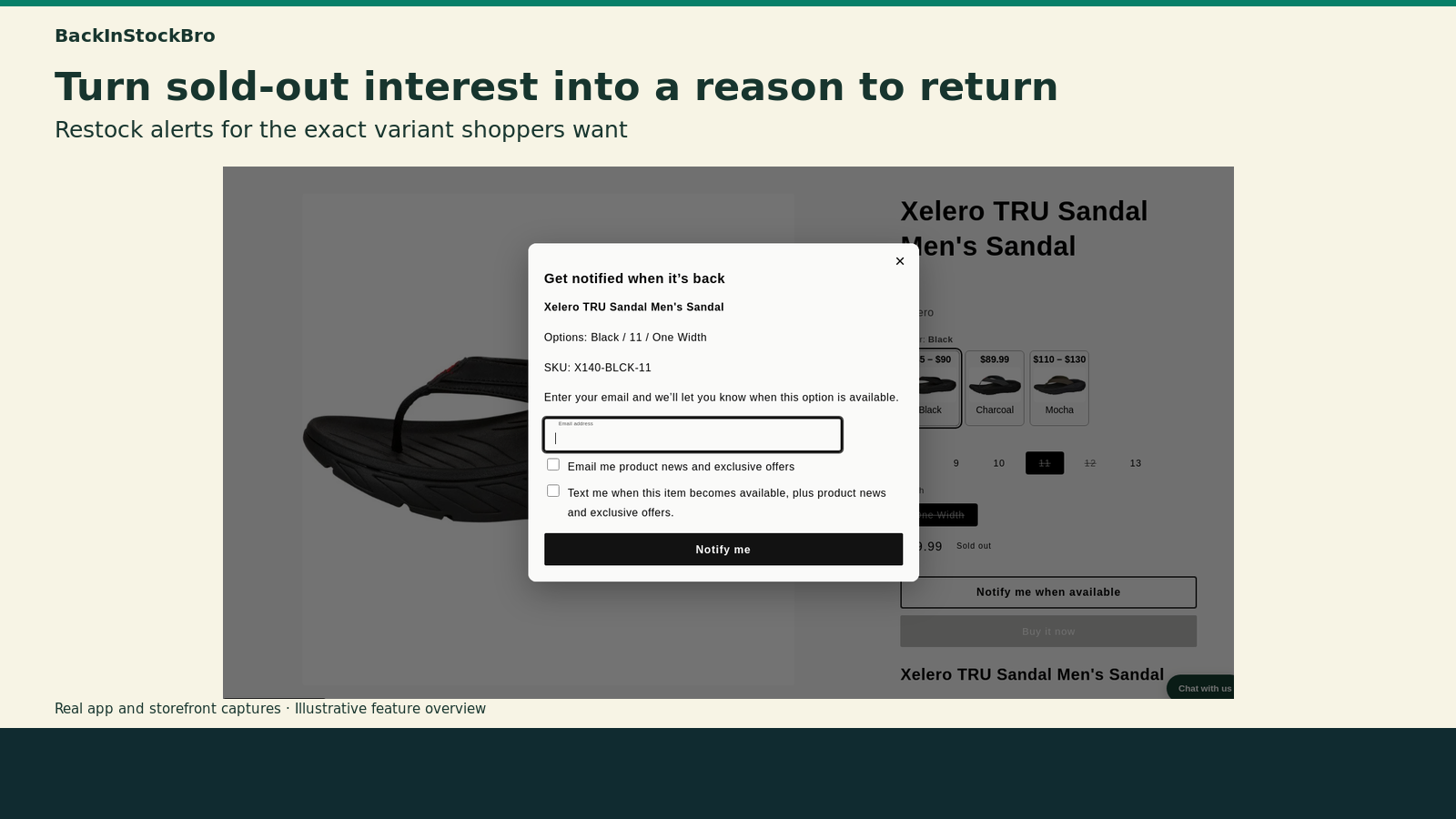
The exact variant. The right moment. Capture demand for the color, size, and width a shopper wants—then bring them straight back when it returns.
Request early accessPRODUCT SPECIMEN · SHOPIFY VARIANT

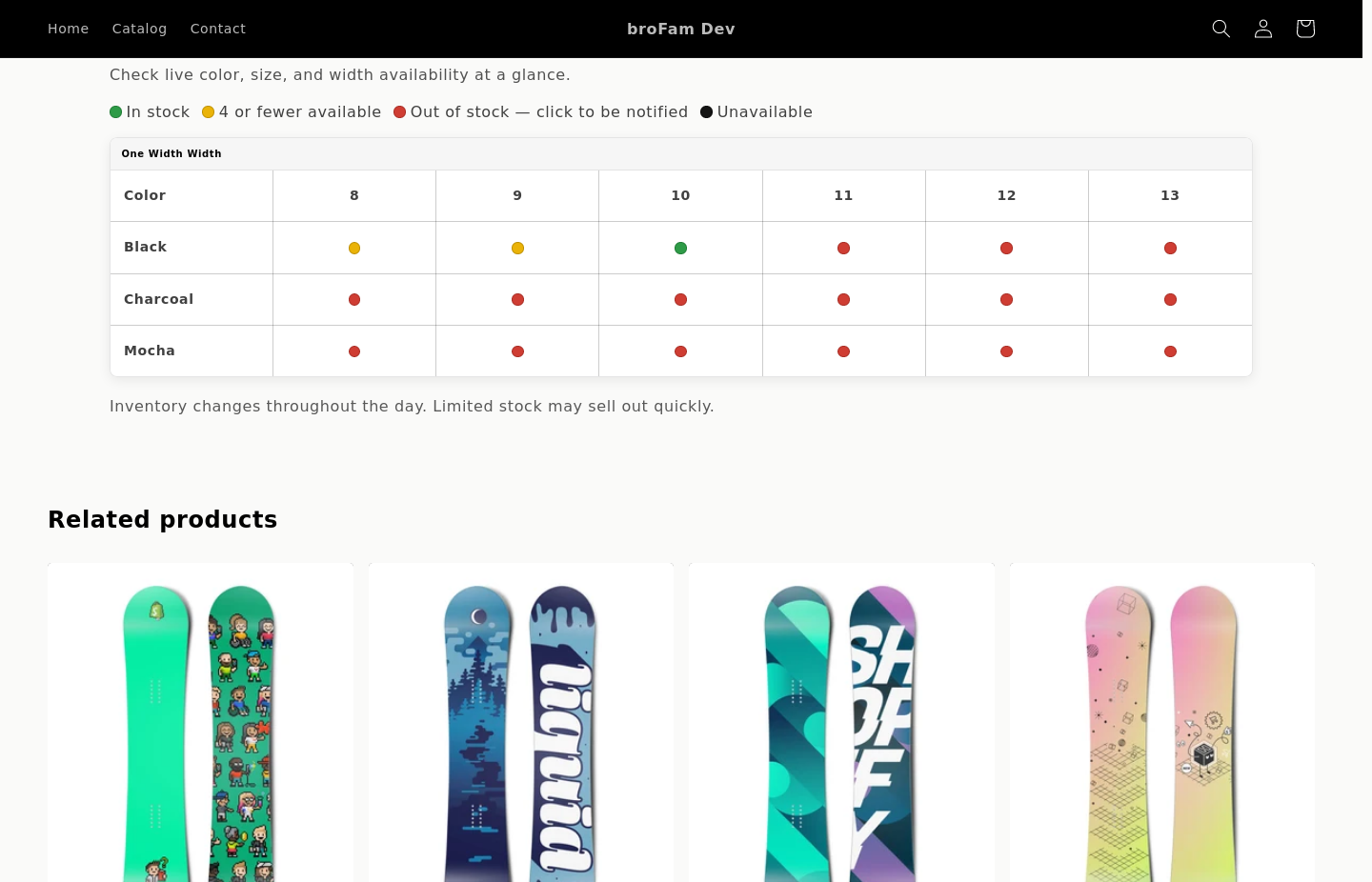
 Shoppable availability
Compare options and act from the table.
Shoppable availability
Compare options and act from the table.
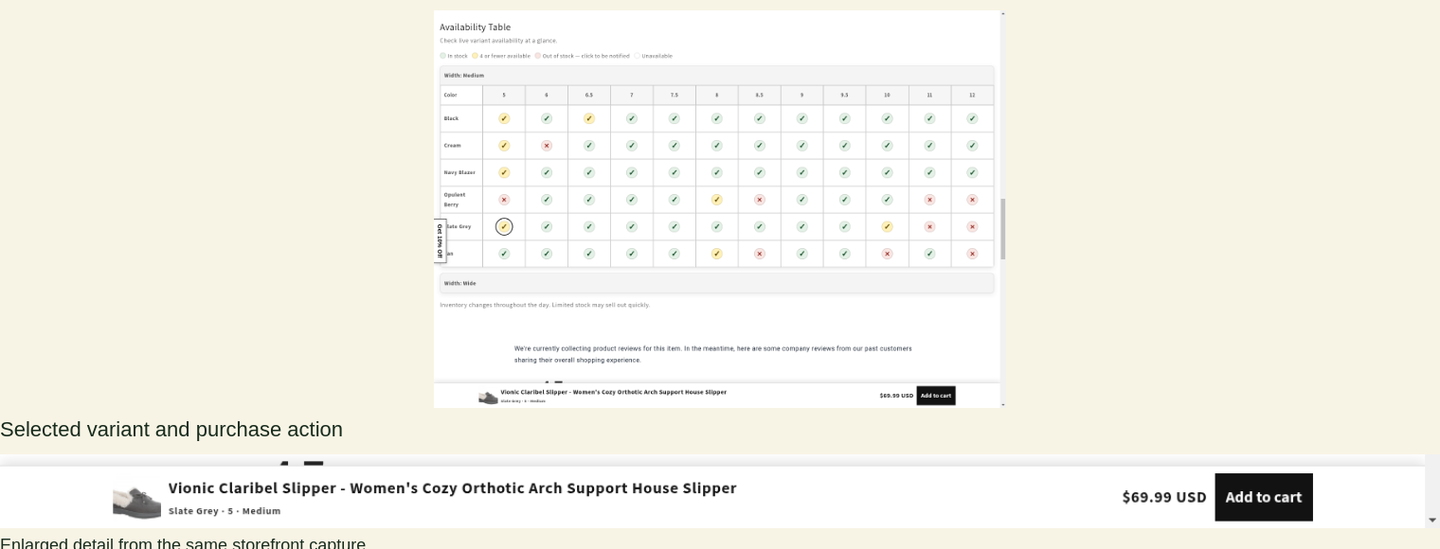
 Sticky variants
Keep the selected item and next action close.
Sticky variants
Keep the selected item and next action close.
A 77-second tour of restock alerts, Product Drops, shoppable variants, Klaviyo email and SMS, and headless Shopify support.
YouTube loads only when you select Play. Watch on YouTube.
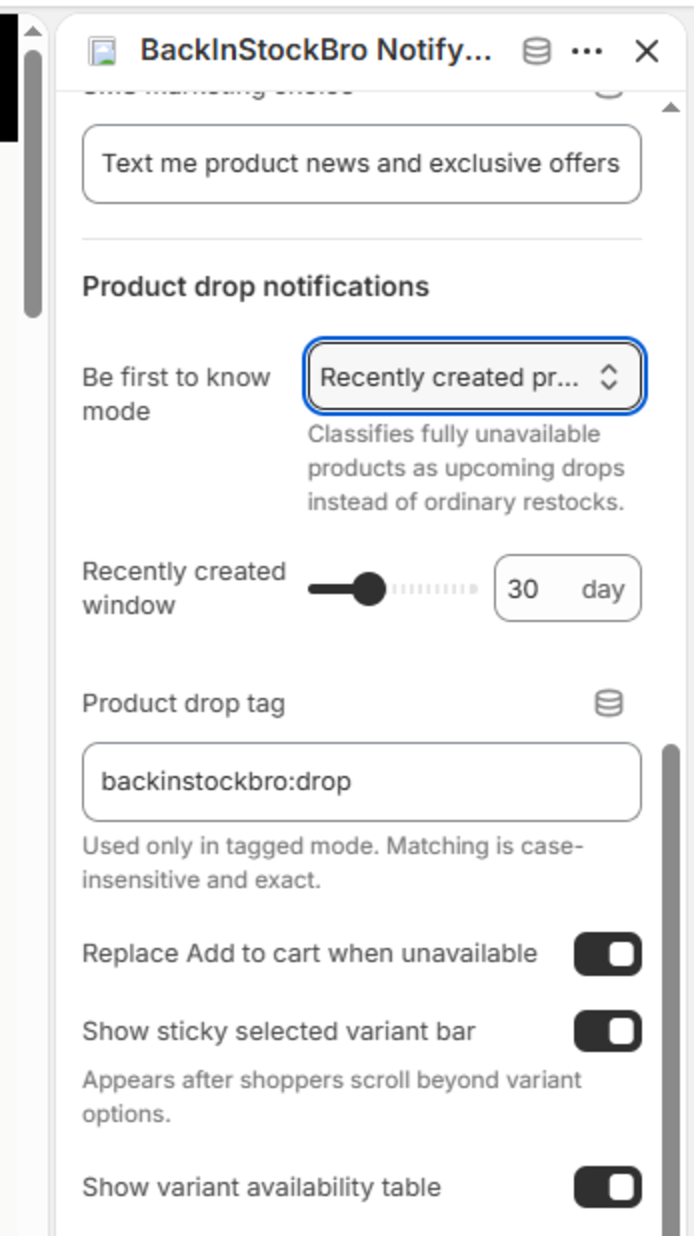
The table doesn’t merely report stock. Shoppers can compare color, size, and width, select the exact option they want, and request a notification directly from an out-of-stock cell.
For fully unavailable launches, Product Drop mode changes the storefront and notification language without creating a presale. Use a recent-product window or an exact Shopify product tag; normal availability behavior returns automatically when inventory lands.
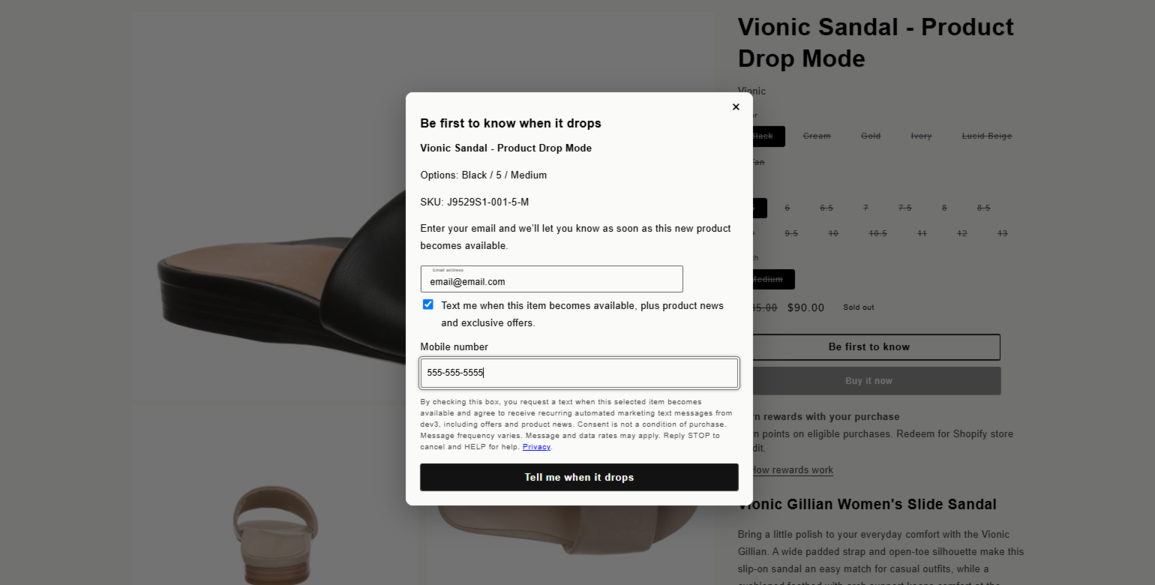
Keep the selected image, options, availability, and next action visible as shoppers explore a longer product page. The sticky treatment respects the current variant and suppresses itself around cart drawers.
Connect the merchant’s Klaviyo account, choose the list that receives explicit marketing consent, and independently enable email or SMS after the matching Back in Stock and Product Drop flows are Live. Until Klaviyo email is ready, BackInStockBro keeps availability email on its own delivery path and does not sync email consent. BackInStockBro never activates a flow for you.
Availability-only requests still work without marketing consent. At notification time, each email resolves to one delivery path, and protected bounce, complaint, unsubscribe, and suppression states are not bypassed.
Read the Klaviyo setup guide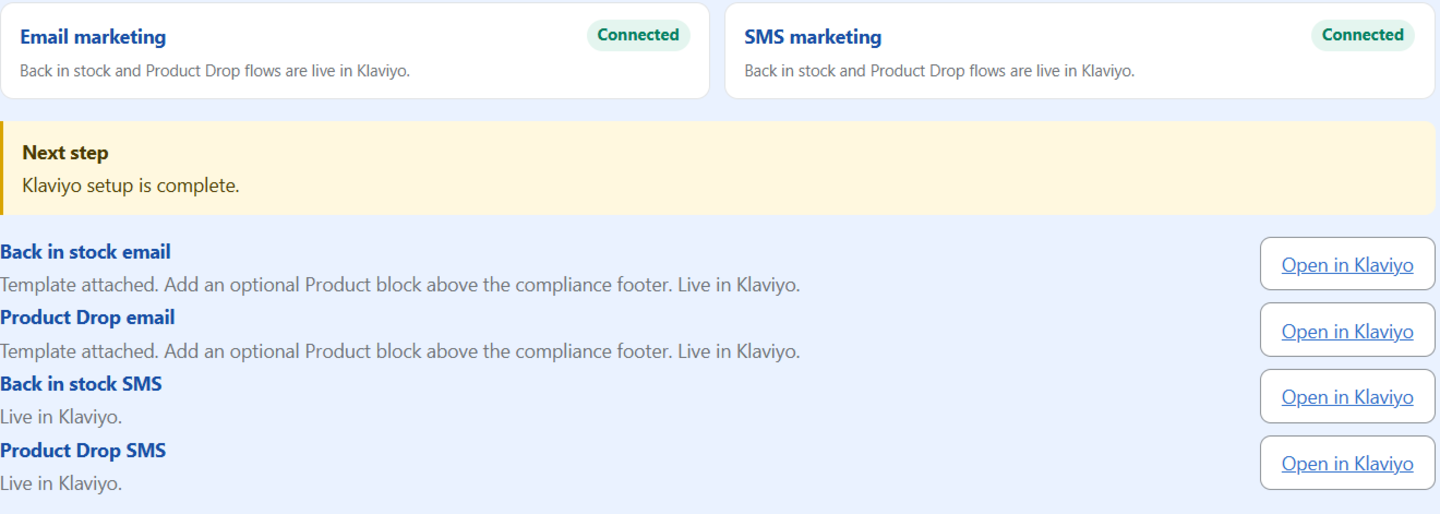
For marketing-consented shoppers, add a native Klaviyo Product block above the separate unsubscribe footer. Use your catalog to offer relevant recommendations alongside the item they requested.
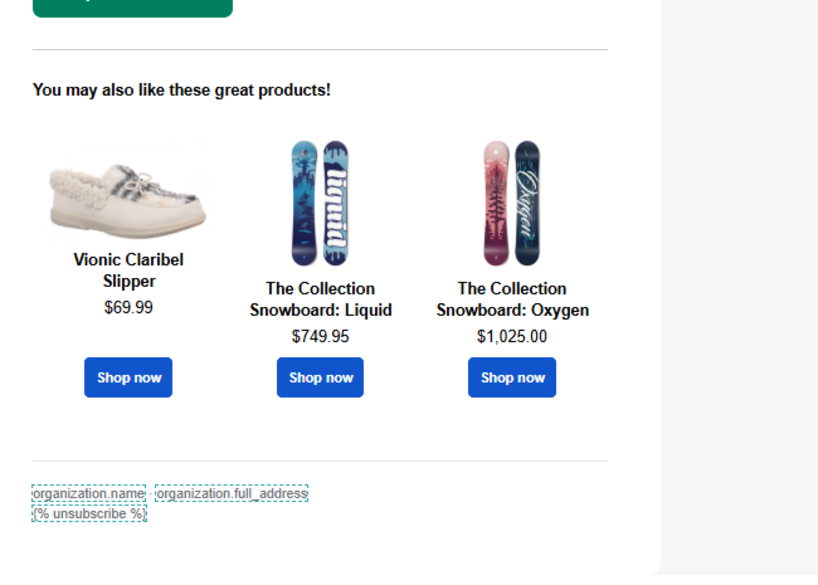
Connect your account, choose your list, and review email and SMS flows independently. BackInStockBro creates drafts; you review and activate them in Klaviyo.
SMS requires an approved saved sender, explicit shopper consent and a live matching flow. Klaviyo applies its eligibility, suppression and quiet-hours rules. Marketing signup remains optional for availability email.
YouTube loads only when you select Play. Watch on YouTube · Read the setup guide.
Connect an audience and sync only explicit email-marketing choices. BackInStockBro can keep sending requested availability emails without a Mailchimp flow. Optional Mailchimp email delivery uses separate Restock and Product Drop flows that you build and activate.
Single and double opt-in follow the audience setting. A pending double opt-in is not marketing permission. Mailchimp SMS is not included.
Read the illustrated setup guideconst client = createBackInStockBroClient({
endpoint: "https://public.backinstockbro.app",
publishableKey
});
await client.prepareNotification({ productId, variantId });
A versioned API and public MIT-licensed storefront SDK are available, with a Hydrogen reference integration. Read the headless integration guide or view the package on npm.
One accepted email send or Klaviyo notification handoff counts as one notification. Email and SMS together count as two. Marketing signups, rejected sends and duplicate retries do not count. A later bounce or Klaviyo flow skip does not automatically credit usage. Klaviyo delivery fees are separate.
Shopify shows any available trial, its duration, and your eligibility before plan approval. No permanent free plan is planned at launch.
$9/month
500 notifications sent · $0.02 per additional notification$29/month
3,000 notifications sent · $0.01 per additional notification$69/month
10,000 notifications sent · $0.005 per additional notificationExact-item intent, one-shot notification reservations, signed opt-out routes, bounce and complaint suppression, bounded retries, and merchant-isolated data. Optional marketing-platform choices remain separate, explicit, and unchecked by default.
Request early access